How to Optimize Images for Google Search and Core Web Vitals
Image optimization for SEO goes beyond compression. Learn how to use alt text, structured data, file naming, and format selection correctly.
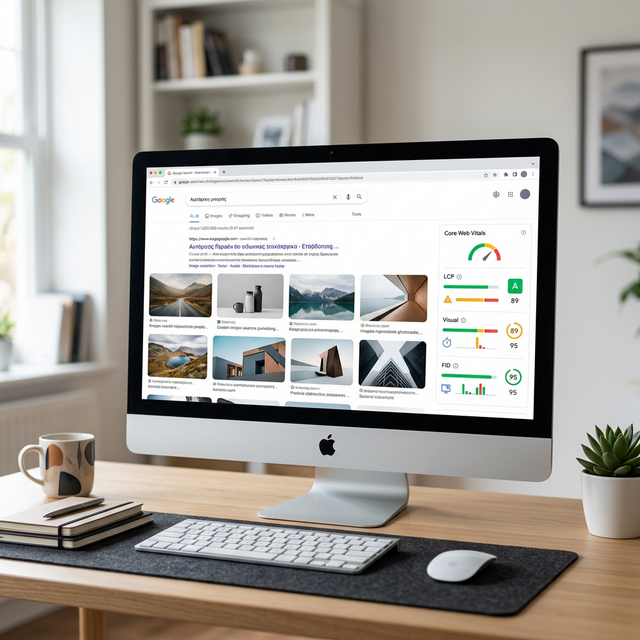
Image optimization for search engines involves far more than just compressing files to reduce size. While file size directly impacts Core Web Vitals and page speed (both ranking factors), Google evaluates images on multiple dimensions — file names, alt text, surrounding content context, structured data markup, responsive serving, and discoverability through image sitemaps. A comprehensively optimized image ranks in both regular Google Search results and Google Images, driving traffic from two separate channels simultaneously. This guide covers every aspect of image SEO, from the simple improvements most people ignore (descriptive file names) to advanced techniques (schema markup) that give you an edge over competitors who only focus on compression. Every recommendation follows Google's official image best practices documentation, updated for the current ranking landscape in 2026.
What Google Considers When Evaluating Images
Google's image evaluation system considers both technical factors and contextual signals when determining how and where to rank your images. Understanding these factors helps you prioritize your optimization efforts for maximum impact.
Relevance to the page content. Google evaluates whether an image is genuinely relevant to the surrounding text. An image of a sunset on a page about database management provides no relevance signal and may actually hurt the page's topical coherence. Images should illustrate, support, or expand upon the text content they accompany.
Technical quality signals. File format, compression level, dimensions, and load time all factor into Google's evaluation. Images that load slowly worsen Core Web Vitals, a direct ranking factor. Images served at inappropriate dimensions (4000px wide displayed at 400px) waste bandwidth and signal poor technical implementation.
Accessibility signals. Alt text, title attributes, and caption text provide Google with explicit textual descriptions of image content. Without alt text, Google must rely entirely on computer vision and surrounding context to understand what an image depicts — a far less reliable method. Pages with comprehensive alt text demonstrate better accessibility practices, which correlates with higher overall content quality signals.
Original content signals. Google increasingly prioritizes original images over stock photos that appear on thousands of other websites. Creating unique images, custom illustrations, charts, and diagrams signals content originality and provides exclusive visual value that stock images cannot replicate, leading to stronger rankings in both web search and Google Images results.
File Names — A Simple SEO Improvement Most People Ignore
Image file names are one of the strongest signals Google uses to understand image content. Despite this, the vast majority of web images have meaningless file names like "IMG_4582.jpg," "DSC_0034.png," or "screenshot-2026-01-15.webp." These names tell Google nothing about the image content, wasting a straightforward ranking opportunity.
Use descriptive, keyword-rich file names. Instead of "IMG_4582.jpg," name your file "chocolate-chip-cookie-recipe.jpg." Instead of "DSC_0034.png," use "tokyo-skyline-sunset.png." The file name should describe what the image depicts using natural language and relevant keywords that someone might search for in Google Images.
Use hyphens to separate words. Google reads hyphens as word separators. The file name "chocolate-chip-cookie-recipe.jpg" is interpreted as four distinct words. Underscores are not treated as word separators — "chocolate_chip_cookie_recipe.jpg" is read as a single compound string. Always use hyphens between words in image file names for maximum SEO benefit.
Keep file names concise and relevant. Two to five descriptive words is the ideal length. Avoid keyword stuffing in file names — "best-cheap-free-chocolate-chip-cookie-recipe-homemade-easy-2026.jpg" appears spammy and provides diminishing returns compared to a clean, focused name. Describe the specific image content naturally, as if explaining what the picture shows to someone who cannot see it. For multilingual websites, use the primary language of the page as the file name language and consider creating separate image files with localized names for each language version of the content, which helps Google surface the correct image in region-specific search results.
Alt Text — The Most Important Image SEO Element
Alt text (alternative text) serves two critical purposes: it provides a text description for screen readers used by visually impaired visitors, and it gives Google explicit textual content to understand what your image depicts. Of all image SEO factors, alt text has the most direct impact on image search rankings.
Describe what the image shows. Good alt text concisely describes the
visual content of the image. For a photograph of a golden retriever playing fetch in a park, write:
alt="Golden retriever catching a red ball in a green park". This tells both screen readers and
Google exactly what the image contains.
Include relevant keywords naturally. If the image appears on a page
about dog training, the alt text might be:
alt="Golden retriever successfully catching ball during fetch training session". The keyword
"training" is included naturally because it accurately describes what is happening in the photograph, not
because it was artificially inserted.
Avoid keyword stuffing. Alt text like
alt="dog training best dog training tips how to train dog puppy training" is keyword stuffing
that violates Google's guidelines, provides a terrible screen reader experience, and can result in ranking
penalties. Describe the image honestly and naturally — Google's algorithms are sophisticated enough to
derive keyword relevance from well-written descriptions without explicit keyword repetition.
✅ Pro Tip
Write alt text that describes the image as if you are explaining it to someone who cannot see it. This approach naturally produces alt text that is both accessible and SEO-effective. If your alt text reads like a natural sentence a human would say, it is almost certainly good alt text. If it reads like a keyword list, rewrite it.
Image Dimensions and Responsive Images in HTML
Serving appropriately sized images for each device type prevents wasted bandwidth and
improves Core Web Vitals scores. The HTML srcset attribute allows you to specify multiple image
sizes, letting the browser select the most appropriate version for the visitor's device and viewport width.
This markup tells the browser: on screens up to 600px wide, use the 400px image. On screens 601-1000px, use the 800px image. On larger screens, use the 1200px image. The browser selects the appropriate source automatically, ensuring mobile visitors download a smaller file while desktop visitors receive a high-resolution version.
Always include width and height attributes. These attributes allow the browser to reserve the correct amount of space for the image before it downloads, preventing Cumulative Layout Shift (CLS) — the jarring experience of content jumping around the page as images load. Explicit dimensions are required for good CLS scores, which Google uses as a ranking signal.
File Size and Core Web Vitals Connection
File size directly affects Largest Contentful Paint (LCP), the Core Web Vitals metric that measures when the largest visible element renders. For most pages, the LCP element is an image. Reducing that image's file size reduces LCP time proportionally — a 50 percent smaller image renders approximately 50 percent faster, directly improving your Core Web Vitals score.
Target file sizes vary by image type: hero images (full-width, above the fold) should be under 200 KB. In-content photographs should be under 150 KB. Thumbnails and icons should be under 30 KB. These targets are achievable through format selection (WebP), quality optimization (quality 80), and proper dimension sizing (match display dimensions).
Google's PageSpeed Insights tool specifically flags oversized images and estimates the potential time savings from compression. Running your top-traffic pages through PageSpeed Insights provides a prioritized list of image optimization opportunities, sorted by estimated impact — an efficient starting point for improvement efforts.
Image Sitemaps — Should You Use One?
Image sitemaps help Google discover images it might otherwise miss — particularly images loaded via JavaScript, images in CSS backgrounds, or images on pages that Googlebot has difficulty crawling. While Google can discover most images through standard crawling, an image sitemap ensures comprehensive discovery.
An image sitemap extension adds image-specific information to your standard XML sitemap, including the image URL, caption, title, geographic location, and license information. This additional metadata helps Google understand and classify your images more accurately, potentially improving their ranking in Google Images results.
💡 Key Insight
Image sitemaps help Google discover images it might otherwise miss, particularly JavaScript-loaded images and images behind lazy loading. For sites with important visual content (e-commerce products, portfolio pieces, editorial photography), an image sitemap ensures Google finds and indexes every relevant image, maximizing your visibility in Google Images search results.
When to use an image sitemap: Sites with significant image content that drives traffic (e-commerce, photography, recipe sites), sites using JavaScript-based image loading, and sites where images are a primary content type. For simple blogs with standard HTML images, a regular sitemap is typically sufficient — Google discovers inline images through standard crawling without needing explicit sitemap entries.
Structured Data for Images (Schema Markup Basics)
Schema markup (structured data) provides Google with explicit, machine-readable information about your images and the content they illustrate. While Google can infer much from page context, structured data removes ambiguity and can qualify your content for rich results — enhanced search listings with larger images, ratings, prices, or other visual elements that increase click-through rates.
Product schema associates images with product information (name, price, availability, reviews). E-commerce sites using product schema see their product images displayed in Google Shopping results and rich snippets with pricing and ratings — significantly increasing visibility and click-through rates compared to standard text-only listings.
Article schema identifies your article's featured image, author, publication date, and content type. This markup can qualify your articles for Top Stories carousels and enhanced article snippets in search results, where the featured image is displayed prominently alongside the headline.
Recipe schema associates cooking images with preparation time, ingredients, nutrition information, and ratings. Recipe pages with proper schema markup frequently appear in Google's recipe carousel, a highly visible search feature that includes large food photography thumbnails and drives substantial click-through traffic.
How-to schema pairs step images with instructional text, qualifying your content for how-to rich results that display step-by-step instructions directly in search results. Each step can include an associated image, creating a visual guide that users can preview before clicking through to your page.
Image Optimization Audit Checklist for Existing Websites
For websites with existing image libraries, a systematic audit identifies the highest-impact optimization opportunities. Following this checklist ensures you address every image SEO factor methodically rather than optimizing randomly.
Step 1: Identify your LCP images. Run your top 10 pages through Google PageSpeed Insights and note which image is the LCP element on each page. These images have the highest priority for optimization because they directly affect your Core Web Vitals scores and rankings. Compress each LCP image to under 200 KB, convert to WebP format, and ensure correct dimensions for the display context.
Step 2: Audit file names. Export a list of all image URLs from your sitemap or crawl your site using a tool like Screaming Frog. Filter for generic file names (IMG_, DSC_, screenshot-, untitled) and create a renaming plan. For CMS-hosted sites, rename the file and update the reference in each post. For static sites, use find-and-replace across your HTML files. Prioritize images on your highest-traffic pages.
Step 3: Audit alt text coverage. Screaming Frog and similar crawl tools can identify images with missing or empty alt text. Categorize missing alt text by page traffic to prioritize which images to address first. Write descriptive alt text for each missing instance, focusing on accurately describing the image content while naturally including relevant keywords.
Step 4: Check responsive image implementation. Review your top templates to verify that images use srcset attributes for responsive serving. Pages using single-size images for all devices waste bandwidth on mobile visitors and miss an opportunity to improve mobile LCP scores. Implement srcset with at least three size variants (small, medium, large) for each content image template.
Step 5: Verify width and height attributes. Images missing explicit width and height attributes cause Cumulative Layout Shift issues. Crawl your site for images without these attributes and add them based on the intended display dimensions. This single change can significantly improve your CLS score without affecting visual appearance.
Step 6: Monitor ongoing compliance. After completing the initial audit, establish a monthly check using Google Search Console's Core Web Vitals report. Track LCP, CLS, and INP scores over time. Any regression in image-related metrics indicates new unoptimized images have been added, triggering a focused review of recently published content.
Frequently Asked Questions
Q: Does Google penalize websites for missing alt text?
A: Google does not explicitly penalize missing alt text in the way it penalizes spam or malicious content. However, missing alt text means Google has less information to understand your image content, reducing its ranking potential in Google Images. Additionally, missing alt text fails accessibility standards (WCAG), which can indirectly affect your page quality signals. Adding descriptive alt text to all meaningful images is a best practice with no downside.
Q: Should decorative images have alt text?
A: Purely decorative images (background textures, visual separators, ornamental
borders) should have empty alt attributes: alt="". This tells screen readers to skip
the image entirely, avoiding unnecessary audio clutter. Do not omit the alt attribute; use an empty
string instead. Images that convey content or meaning should always have descriptive alt text.
Q: How important is image SEO for Google Rankings?
A: Image SEO contributes to rankings through multiple channels. Core Web Vitals (directly affected by image size and loading) are a confirmed ranking signal. Alt text helps Google understand page content. Image file names contribute keyword signals. Well-optimized images also drive traffic through Google Images, which accounts for approximately 20-25% of all Google searches. For visual content categories (recipes, products, travel, design), image SEO can be the primary traffic driver.
Q: Can I use AI-generated images for SEO?
A: Yes, but with important considerations. Google treats AI-generated images the same as any other image for ranking purposes — relevance, quality, and optimization matter regardless of how the image was created. However, AI images should be genuinely relevant to your content and provide value to readers. Using AI to generate unique illustrations, diagrams, and visual explanations is an effective strategy. Google recommends disclosing AI-generated content in applicable contexts.
Q: What is the ideal image file size for SEO?
A: There is no single ideal size — it depends on the image's purpose and display context. As general targets: hero images under 200 KB, in-content images under 150 KB, thumbnails under 30 KB. The key metric is not absolute file size but whether your images cause LCP to exceed 2.5 seconds. If your LCP passes the "good" threshold (under 2.5 seconds), your image sizes are acceptable from an SEO perspective.
Akbarak Engineering
Lead Technical Architecture Team
Dedicated to building high-performance web utilities and sharing in-depth knowledge on digital optimization, security, and next-generation web platforms. We simplify complex technologies for millions of users globally.